Ubuntu Installation
Introduction
This guide will guide you through the installation process for the HIAS AMQP IoT Agent.
Prerequisites
You will need to ensure you have the following prerequisites installed and setup.
HIAS Core
The HIAS AMQP IoT Agent is a core component of the HIAS - Hospital Intelligent Automation Server. Before beginning this tutorial you should complete the HIAS installation guide and have your HIAS server online.
The HIAS Core requires the following components to be installed, each component will be installed during the HIAS Core installation:
HIASBCH
HIASBCH (HIAS Blockchain) is a dedicated Ethereum Blockchain providing authentication & data integrity functionality to the HIAS Network.
HIASHDI
HIASHDI (HIAS Historical Data Interface) is an implementation of a REST API Server that stores HIAS network historical data and serves it to authenticated HIAS devices & applications by exposing the data through a REST API and pushing data through subscriptions.
HIASCDI
HIASCDI (HIAS Contextual Data Interface) is an implementation of a CEF Context Broker (NGSI v2). HIASCDI stores contextual data and serves it to authenticated HIAS devices & applications by exposing the data through a REST API and pushing data through subscriptions.
Operating System
The Acute Lymphoblastic Leukemia HIAS AMQP IoT Agent supports the following operating system(s):
- Ubuntu 18.04
Software
The Acute Lymphoblastic Leukemia Pytorch Segmentation 2021 Jupyter Notebook project uses the following libraries.
- Flask
- Requests
- Web3
Installation
You are now ready to install the HIAS AMQP IoT Agent software.
Clone the repository
Clone the HIAS AMQP IoT Agent repository from the Asociación de Investigacion en Inteligencia Artificial Para la Leucemia Peter Moss Github Organization.
To clone the repository and install the project, make sure you have Git installed. Now navigate to your HIAS installation project root and then use the following command.
 git clone https://github.com/AIIAL/HIAS-AMQP-IoT-Agent.git
 mv HIAS-AMQP-IoT-Agent components/agents/AMQP
This will clone the HIAS AMQP IoT Agent repository and move the cloned repository to the agents directory in the HIAS project (components/agents/AMQP/).
 cd components/agents/
 ls
Using the ls command in your home directory should show you the following.
AMQP
Navigate to the components/agents/AMQP/ directory in your HIAS project root, this is your project root directory for this tutorial.
Developer forks
Developers from the Github community that would like to contribute to the development of this project should first create a fork, and clone that repository. For detailed information please view the CONTRIBUTING guide. You should pull the latest code from the development branch.
git clone -b "2.1.0" https://github.com/AIIAL/HIAS-AMQP-IoT-Agent.git
The -b "2.1.0" parameter ensures you get the code from the latest master branch. Before using the below command please check our latest master branch in the button at the top of the project README.
Installation script
All other software requirements are included in scripts/install.sh. You can run this file on your machine from the HIAS project root in terminal. Use the following command from the HIAS project root:
sh components/agents/AMQP/scripts/install.sh
HIAS
This device is a HIAS IoT Agent and uses the HIAS AMQP Broker to communicate with the HIAS network. To setup an IoT Agent on the HIAS network, head to the HIAS UI.
The HIAS network is powered by a context broker that stores contextual data and exposes the data securely to authenticated HIAS applications and devices.
Each HIAS IoT Agent has a JSON representation stored in the HIASCDI Context Broker that holds their contextual information.
HIAS IoT Agent
A HIAS IoT Agent is a bridge between HIAS devices and applications, and the HIASCDI Context Broker. The IoT Agents process incoming data using a specific machine to machine communication protocol and then converting into a format compatible with HIASCDI, before sending the data to HIASCDI to update the contextual information.
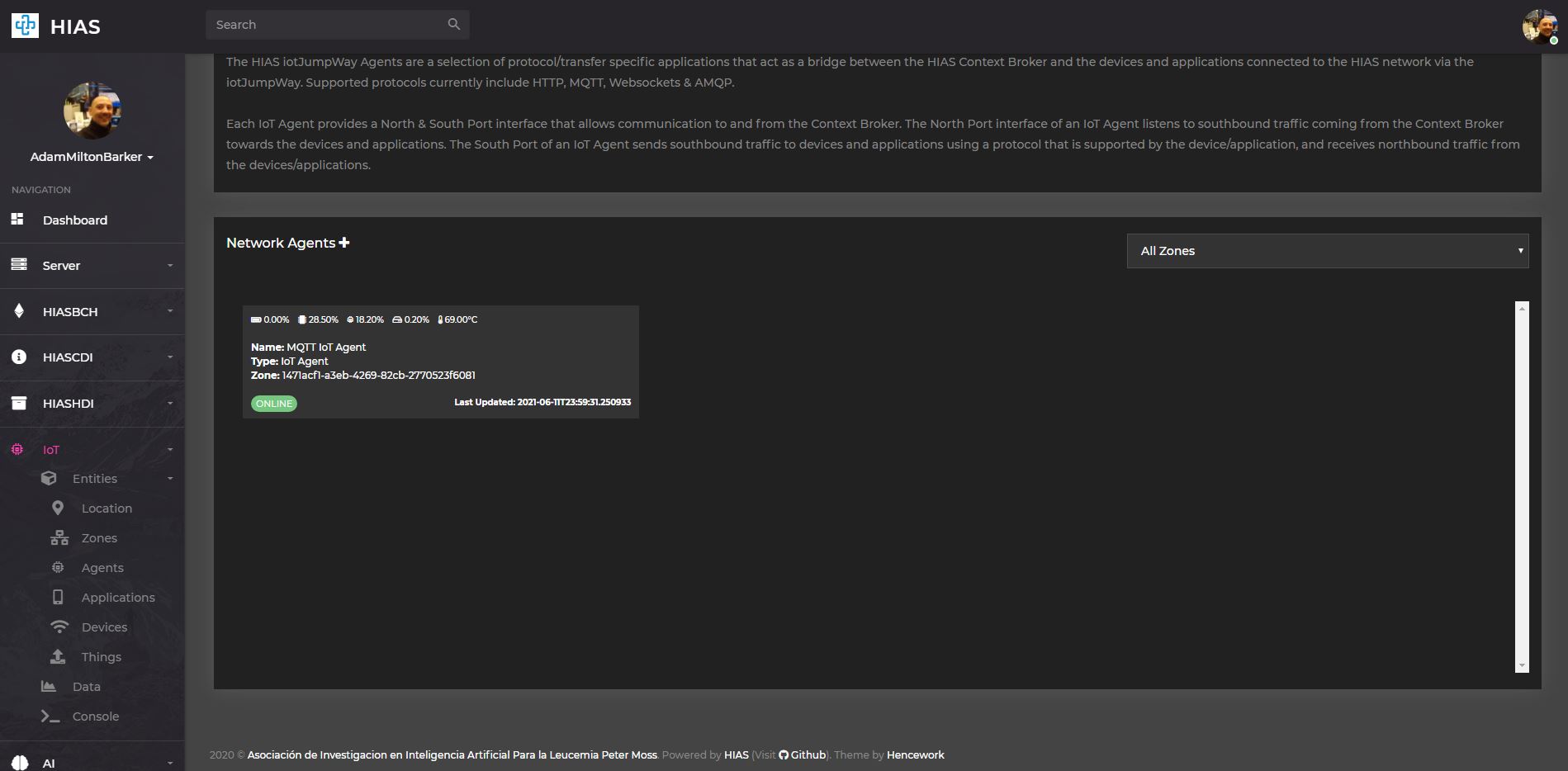
You will now need to create your HIAS IoT Agent and retrieve the agent credentials. Navigate to IoT->Entities->Agents and click on the + next to the Network Agents title to create a HIAS IoT Agent.
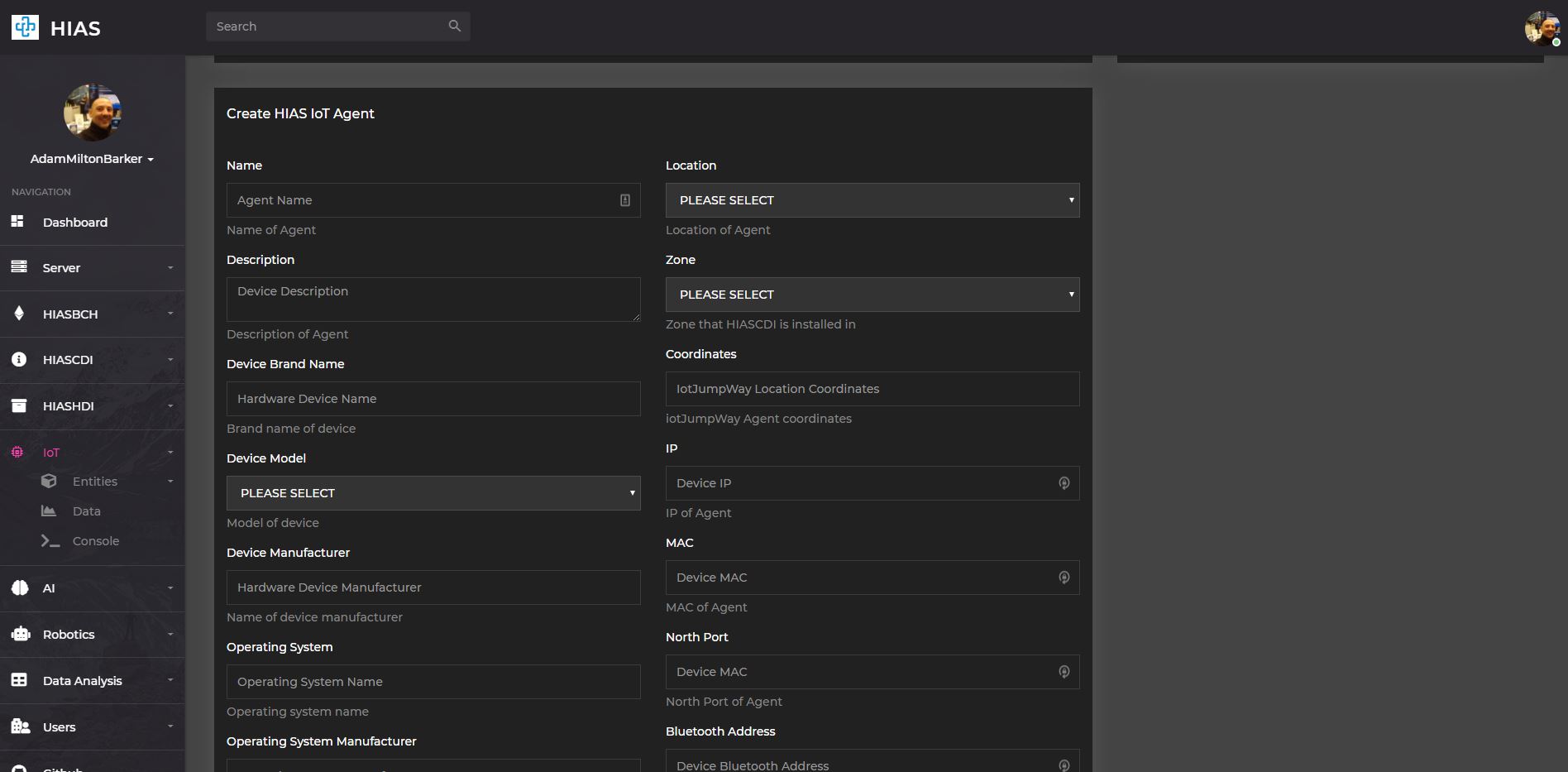
Make sure to select AMQP as the protocol for your Agent. Once you have completed the form and submitted it, you can find the newly created AI Agent by navigating to IoT->Entities->Agents and clicking on the relevant Agent.
On the HIAS IoT Agent page you will be able to update the contextual data for the agent, and also find the JSON representation.
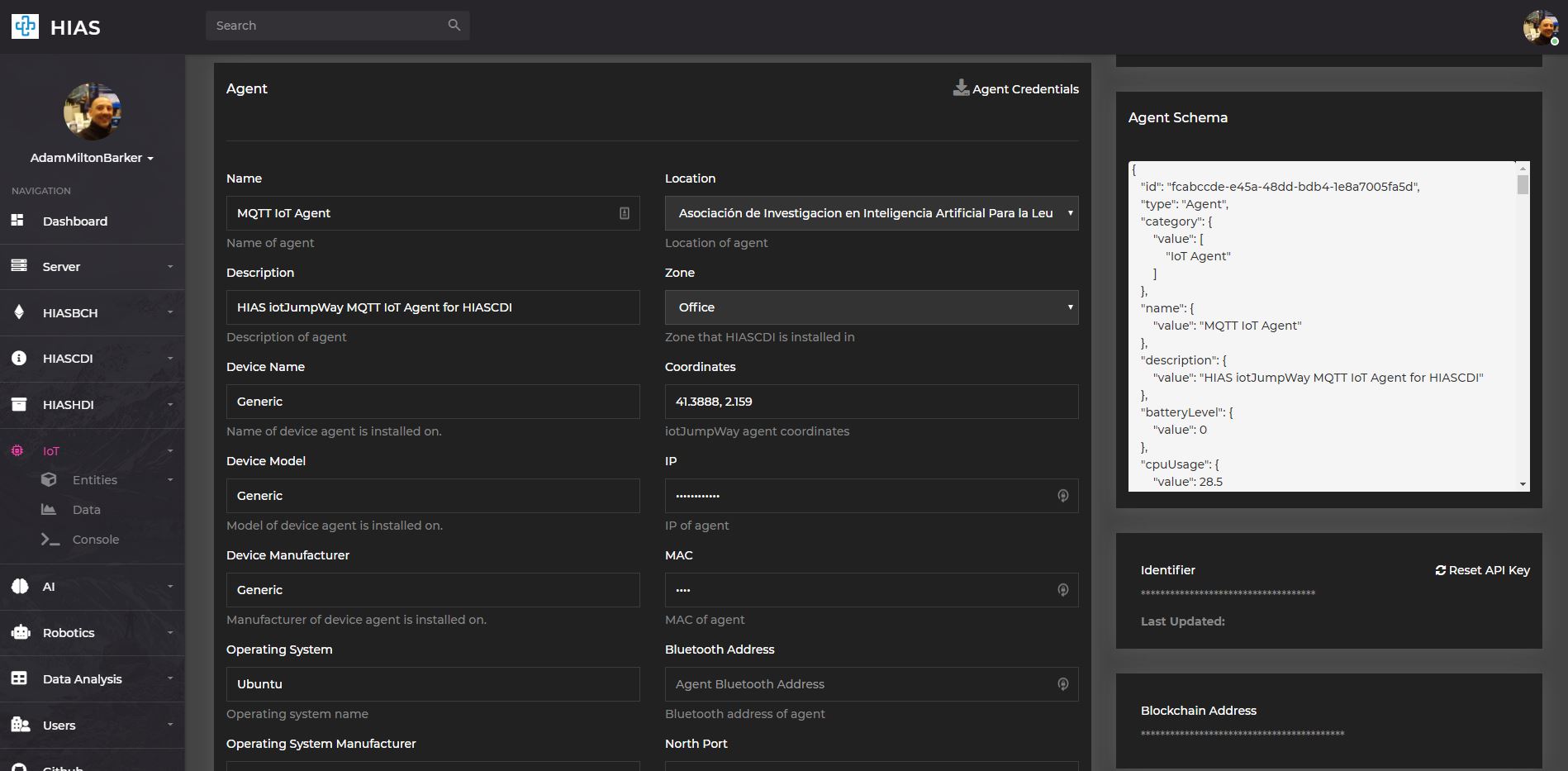
You now need to download the credentials required to connect the Acute Lymphoblastic Leukemia oneAPI Classifier to the HIAS network.
Click on the Agent Credentials section to download the credentials file. This should open your file browser, navigate to the HIAS/components/agents/AMQP/configuration/ directory and save the file as credentials.json.
Service
You will now create a service that will run your IoT Agent. Making sure you are in the HIAS project root, use the following command:
sh components/agents/AMQP/scripts/service.sh
Continue
Now you can continue with to the Ubuntu usage guide
Contributing
Asociación de Investigacion en Inteligencia Artificial Para la Leucemia Peter Moss encourages and welcomes code contributions, bug fixes and enhancements from the Github community.
Please read the CONTRIBUTING document for a full guide to forking our repositories and submitting your pull requests. You will also find information about our code of conduct on this page.
Contributors
- Adam Milton-Barker - Asociación de Investigacion en Inteligencia Artificial Para la Leucemia Peter Moss President/Founder & Lead Developer, Sabadell, Spain
Versioning
We use SemVer for versioning.
License
This project is licensed under the MIT License - see the LICENSE file for details.
Bugs/Issues
We use the repo issues to track bugs and general requests related to using this project. See CONTRIBUTING for more info on how to submit bugs, feature requests and proposals.